
오늘 학습 정보
- 날짜/Day: 2026/02/03 (Day17)
- 교재 범위: ~ 12.4 노드 추가/삭제하기 (p.456~485)
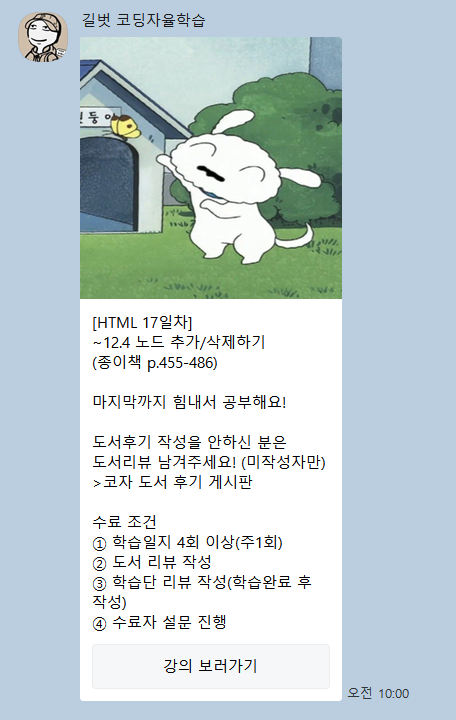
- 출처: 코딩 자율학습단 카카오톡 채널 메시지 캡처
오늘의 핵심 키워드 3개
- 핵심 키워드 1: DOM 트리 구조(부모/자식/형제 노드)
- 핵심 키워드 2: 요소 노드 선택 + 콘텐츠/스타일/클래스/데이터 조작
- 핵심 키워드 3: createElement/appendChild/removeChild로 노드 추가·삭제
개념 정리
2-1) DOM(Document Object Model) 이해: “문서가 트리로 보인다”
역할: HTML 문서를 노드(Node)들의 트리 구조로 표현해서 JS로 접근/조작 가능하게 함
핵심 포인트:
- DOM은 계층 구조(트리)로 구성: 상위 노드가 하위 노드를 포함
- 노드 관계 개념이 중요: parentNode, childNodes, firstChild/lastChild, nextSibling/previousSibling 같은 흐름 이해가 기반
- 이후 작업(선택/수정/추가/삭제)은 결국 “트리에서 노드를 찾고 다루는 것”
짧은 예시(코드):
// 예: 특정 요소의 부모/자식 관계 접근
const pEl = document.querySelector("p");
console.log(pEl.parentNode); // 부모 노드
console.log(pEl.parentNode.childNodes); // 형제 포함 자식 노드들(NodeList)
2-2) 요소 노드 선택: getElementById vs querySelector(All)
역할: DOM에서 “원하는 요소 노드”를 찾아 변수로 잡아두기
핵심 포인트:
- getElementById(“id”) : id 값만 전달(앞에 # 붙이면 안 됨)
- querySelector(“CSS선택자”) : 첫 번째 1개 반환
- querySelectorAll(“CSS선택자”) : 여러 개(NodeList) 반환 → 인덱싱/반복 가능
짧은 예시(코드):
// HTML: <p id="text">Select Text</p>

const a = document.getElementById("text"); // OK
const b = document.querySelector("#text"); // OK
const c = document.querySelectorAll("p")[0]; // OK
2-3) 콘텐츠 조작: textContent / innerText / innerHTML
역할: 선택한 요소 노드의 “내용”을 읽거나 바꾸기
핵심 포인트:
- textContent: 요소 내부 “모든 텍스트” 기준
- innerText: 화면에 표시되는 텍스트 중심
- innerHTML: HTML 태그를 포함한 문자열을 태그로 해석해서 적용
짧은 예시(코드):
document.querySelector("#textContent").textContent = "<strong>textContent</strong> 속성";
document.querySelector("#innerText").innerText = "<strong>innerText</strong> 속성";
document.querySelector("#innerHTML").innerHTML = "<strong>innerHTML</strong> 속성";
2-4) 스타일/클래스/데이터/속성 조작: “직접 vs 클래스 vs 속성”
역할: 요소의 표현(CSS)과 부가정보(data-* / href 등)를 변경
핵심 포인트:
- style 조작:
<노드>.style.<속성> = 값- background-color 같은 속성은 backgroundColor로 작성
- classList 조작: add/remove/toggle로 클래스 관리(기존 클래스 보존)
- dataset 조작: data-* ↔ dataset 연결 (data-cnt → dataset.cnt)
- 속성 메서드: getAttribute / setAttribute / removeAttribute
- 링크 새 창: setAttribute(“target”,”_blank”)
짧은 예시(코드):
// style
const pEl = document.querySelector("p");
pEl.style.color = "red";
pEl.style.backgroundColor = "#ff0000";

// classList
pEl.classList.add("red-color", "fz20");
pEl.classList.remove("fz20");
pEl.classList.toggle("red-color");

// dataset (data-cnt)
document.querySelectorAll("button").forEach((btn) => {
   console.log(btn.dataset.cnt);
   btn.dataset.cnt = 50;
});

// attribute
const aEl = document.querySelector("a");
aEl.setAttribute("href", "https://www.gilbut.co.kr");
aEl.setAttribute("target", "_blank");
aEl.removeAttribute("class");
2-5) 노드 추가/삭제: createElement / createTextNode / appendChild / removeChild
역할: DOM 트리에 새 노드를 만들어 연결(추가)하거나 제거(삭제)
핵심 포인트:
- 추가 흐름: 생성 → 연결
- 생성: createElement(), createTextNode(), createAttribute()
- 연결: appendChild(), setAttributeNode()
- 삭제는 항상 부모에서 자식을 제거: parentNode.removeChild(자식)
짧은 예시(코드):
// 요소 노드 추가
const a1 = document.createElement("a");
document.body.appendChild(a1);

// 텍스트 노드 추가
const txt = document.createTextNode("길벗");
document.querySelector("a").appendChild(txt);

// 속성 노드 추가
const hrefAttr = document.createAttribute("href");
hrefAttr.value = "https://www.gilbut.co.kr";
document.querySelector("a").setAttributeNode(hrefAttr);

// 노드 삭제
const pEl = document.querySelector("p");
pEl.parentNode.removeChild(pEl);
이슈 로그
- getElementById()에 “#text”처럼 #를 넣으면 선택이 안 됨 → “text”처럼 id 값만 전달
- 클래스 제거는 removeClass()가 아니라 classList.remove(“클래스”)가 정확함
학습단 도서
- 「코딩 자율학습 HTML + CSS + 자바스크립트」

“코딩자율학습단 19기 | 17일차 학습일지 – DOM 구조 이해, 노드 조작, 노드 추가·삭제”에 대한 2개의 생각